8 facts, each with a source below5 questions answered1 verified products
Read the rhythm, not just the colour. A Vertuo says almost everything through one button, and its manual separates orange into four different meanings by speed alone. Orange on for about a second and a half then briefly off means the water tank is empty. Orange blinking twice then pausing is an error — check the capsule, the handle and the tank, in that order. Orange alternating with white three times then going steady is the descaling alert, not a fault. Orange blinking steadily two or three times a second means the machine is already in cleaning or descaling mode, and holding the button for at least seven seconds gets it out. Counting the pattern before you act saves most of the work.
The blinking summary from the Vertuo Next manual. Colour alone is not the message: the rhythm separates three different states.
Orange is not one message
A Vertuo says almost everything through a single button, and the mistake nearly everyone makes is reading the colour and ignoring the rhythm. Nespresso's own manual separates orange into at least four distinct states by speed and pattern alone.
Before you do anything, count what the light is doing. Is it blinking steadily, and how fast? Is it blinking twice and then pausing? Is it alternating with white? Those are three different machines as far as the manual is concerned.
The page below works through the patterns in Nespresso's blinking summary, which is the table in the Vertuo Next user manual, and pairs each with the remedy the manual's own troubleshooting section gives.
The normal states, so you can rule them out
Two patterns are not faults at all, and it saves time to recognise them.
Steady white is ready mode. Nothing to do.
White blinking once a second is coffee preparation — the machine working normally. The manual makes a useful distinction here for anyone watching a blinking light and worrying: if coffee is flowing normally, this indicates the machine is working properly. If only water is flowing, the machine is running a cleaning, descaling or emptying operation that someone asked it for.
The manual also notes that a light blinking while nothing appears to happen can simply be the machine reading the capsule barcode and pre-wetting the coffee, which takes a moment before flow starts.
Long on, short off: the tank is empty
Nespresso describes this one precisely: the orange button on for one and a half seconds, then off for half a second. The summary translates it as Water tank is empty.
The remedy is what you would expect — fill the tank and push the button — but the manual pairs it with a second check that catches the cases where filling does not help: make sure the handle is properly locked. A machine with water in it and an unlocked handle can present in much the same way.
This is the most common thing a Vertuo owner will see that is not a normal state, and it is a thirty-second fix.
Two quick blinks then a pause: an error
The manual lists this pattern — Orange light blinking rapidly twice, then long OFF — as an error, and gives a specific sequence of checks depending on what you were doing.
During normal coffee preparation: unlock the handle and open the head to check a fresh, undamaged capsule is in the correct position; check the handle is in the locked position; check the tank is filled. In that order.
During descaling, emptying or cleaning: check the capsule has been ejected. These operations will not proceed with a capsule in the machine, and that alone accounts for a good share of errors that appear mid-descale.
The manual also gives an overheating route for a machine that blinks and will not run: turn it off by holding the button for three seconds, turn it back on, and allow roughly twenty minutes to cool after extensive use. If it will not turn off at all, holding the button for at least seven seconds exits descaling mode, which is often what it is stuck in.
Orange and white alternating: it wants descaling
The summary gives this as Orange and white light alternately blinking 3 times and then steady on, and calls it the descaling alert. On the Vertuo Pop the same alert is described in that machine's guide as the cup button blinking orange three times before steady white.
This is not a fault and the machine will keep working, which is precisely why it gets ignored for months. Nespresso's interval is every three months or 300 capsules, whichever comes first, and scale is the documented cause behind several of the other symptoms on this page — weak flow, a machine that struggles, coffee that is not hot enough.
Two other patterns in the summary are not faults either and are easily mistaken for them: orange blinking twice a second is cleaning mode, and orange blinking three times a second is descaling or emptying. If you are seeing those without having asked for them, the manual says to push the button to stop the machine, and if it keeps blinking, hold the button at least seven seconds to exit.
The full procedure, including the 45-second window that makes Vertuo descaling fail, is in our Nespresso descaling guide.
No light at all
The summary's entry for a dark button is simply machine off, and the troubleshooting section gives two things to check.
The first: the machine has turned off automatically, and the fix is to push the button or unlock the machine. Like the Keurig auto-off, this accounts for a fair number of machines that appear dead and are not.
The second is the supply, and the manual's phrasing is Check the mains, plug, voltage, and fuse. If the machine stays dark after both, that is the boundary of what a manual will help with.
Lights are normal but no coffee comes out
The manual handles this separately from the light codes, and its list is short. Check the tank is filled. Check a fresh capsule is inserted in the correct position and the handle is properly locked, then push the button. Descale if necessary. And if a capsule is stuck, open the head to let it eject, then run a cleaning.
For coffee that comes out but is not hot enough, the manual gives two causes and both are undramatic: preheat the cup with hot water from the tap, and descale if necessary. Scale on the heating element is a documented cause of lukewarm coffee rather than a folk theory.
Planning to buy a new Nespresso?
Whether you are here because a machine finally gave up or because you are replacing one that still works, the decision is not really which Nespresso. It is which of the two Nespresso systems, because the capsules are not interchangeable and the one you pick is the one you keep buying.
Original takes the small cylindrical capsule and forces water through it under pressure. The drinks are espresso-sized. Its great advantage is that the capsule format is widely made by other companies, so there is real competition on price and a large choice of coffee.
Vertuo takes a domed capsule with a barcode on the rim, reads that barcode and spins the capsule to brew. One machine covers six sizes, from a single espresso up to an 18 oz mug, which is the thing Original cannot do. The trade is that the capsules are effectively Nespresso's own, so you are buying from one supplier for the life of the machine.
Put plainly: if you drink espresso and want choice in capsules, Original. If you want mugs of coffee as well as espresso from one machine, Vertuo. Descaling differs between the two as well, which is the subject of the rest of this page.
If Vertuo is the answer, these are the machines our verified catalogue currently holds, in the order they step up. Nothing here is scored or ranked — we have not run a Nespresso through our evaluation protocol — so every fact below is the manufacturer's own listing copy and the difference between them is what they do, not how good we think they are.
Pod coffee makerNespresso Vertuo Pop+ with Milk Frother
The Vertuo Pop+ is the compact entry. If a Vertuo is going into a small kitchen or a second room and you want the system rather than the extras, this is the one that costs least to get into it.
Pod coffee makerNespresso Vertuo Next by De'Longhi
Six sizes from espresso to 18 oz, in 5.5 inches of counter.
The Vertuo Next is the one most people should look at first. Its listing gives the full six sizes — 5, 8, 12 and 18 oz coffees plus single and double espressos, hot or over ice — in a body 5.5 inches wide, which is narrower than most kettles. If you want the whole range of what Vertuo does, this is the machine that does it.
Pod coffee makerNespresso Vertuo Next with Aeroccino3 Milk Frother
The same machine with the frother in the box, for milk drinks.
The same Vertuo Next with the Aeroccino3 in the box. Worth it only if you actually drink cappuccinos and lattes at home; if you take your coffee black, the frother is a box in a cupboard and the plain Next is the same machine.
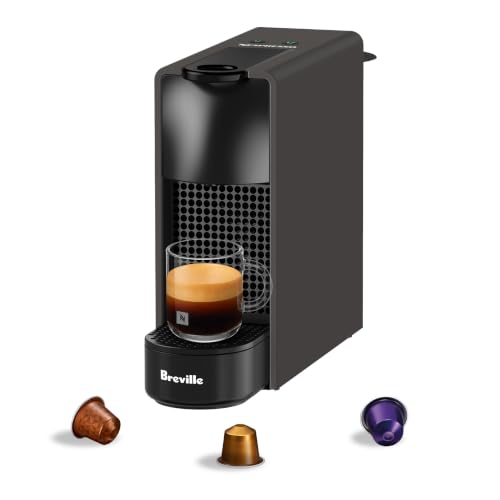
Pod coffee makerNespresso Essenza Mini Espresso Machine (Original line)
The cheapest current way into the Original line, which is the line third-party capsules fit.
A note on the Original line. The Essenza Mini above is the Original-line machine we hold a verified listing for; the Pixie, CitiZ, Creatista and Lattissima are not carded because we have not yet verified a listing for each, and the Inissia has been discontinued. That is a limit of what we have checked rather than a judgement on those machines, and it is why the system advice above is written to stand on its own: if Original is the right answer for you, any Original machine takes the same capsules, most easily bought direct from Nespresso.
Where this page stops
Everything above is from Nespresso's own Vertuo Next user manual — its blinking summary and its troubleshooting section — plus the Vertuo Pop descaling guide for that machine's alert. All of it is done from outside the machine.
Two honest limits. First, this is the Vertuo Next summary, and other Nespresso machines publish their own; the patterns are similar but we are not going to tell you they are identical, because we have not checked every manual in the range. Look up the summary for your model before treating this as definitive. Second, we publish nothing that involves opening a machine or reaching a pump. Where the manual says to call Nespresso, so does this page.
Verified products for this page
ℹ️
Affiliate disclosure: CoffeeLabAdvisor is an Amazon Associate and may earn a commission from these links, at no extra cost to you. Commissions play no part in what appears here — every product traces to a verified catalog entry or a published review.
The one consumable this page ends up recommending, because several of the patterns below resolve to a descale. The product fact is the listing's own statement, read on the date shown on the card.
Descaler
Nespresso
Descaling Kit Solution, 2 pack
$10.99Live Amazon price · as of 10/26/2026 8:53 PM
Nespresso's own solution, in the single-packet dose its guides call for. Listing states two portioned pouches of descaling solution designed for Nespresso machines, with compatibility given as all Nespresso machines.
It depends on the rhythm, not the colour. In the Vertuo Next manual, orange on for about a second and a half then briefly off means the water tank is empty. Orange blinking rapidly twice then a long pause is an error, usually a capsule or an unlocked handle. Orange alternating with white three times then steady is the descaling alert. Orange blinking two or three times a second means the machine is in cleaning or descaling mode.
Why is my Nespresso blinking orange and not brewing?
Work through the manual's own order. Check the water tank is filled and the handle is properly locked. Open the head to confirm a fresh, undamaged capsule is in the correct position, and if you are descaling or cleaning, that no capsule is inserted. If the machine blinks and will not run, hold the button three seconds to turn it off, turn it back on, and allow about twenty minutes to cool after heavy use.
How do I get my Nespresso out of descaling mode?
Hold the button for at least seven seconds. The Vertuo Next manual gives this as the way to exit descaling mode when a machine keeps blinking and you did not intend to descale, or when it will not turn off. If the blinking continues afterwards, the manual's next step is to call Nespresso rather than to repeat the sequence.
How do I know when my Nespresso needs descaling?
The machine tells you. The Vertuo Next manual lists an orange and white light alternately blinking three times and then going steady as the descaling alert, and the Vertuo Pop guide describes it as the cup button blinking orange three times before steady white. Nespresso's interval is every three months or 300 capsules, whichever comes first.
My Nespresso coffee is not hot enough. Is it broken?
Probably not. The manual gives two causes for coffee that is not hot enough, and neither is a fault: preheat the cup with hot drinking water from the tap, and descale if necessary. Scale on the heating element is a documented cause. If the machine is also blinking, read the pattern against the summary on this page first.
Sources for this page:
Nespresso Vertuo Next user manual, 60pp trilingual EN/FR/ES, nespresso.com/shared_res/manuals/vertuo-next/vertuo-next_user_manual.pdf -- Blinking summary (p29) and Troubleshooting (p30) · Nespresso Vertuo Pop Descaling Guide, PDF created 2023-03-06, nespresso.com/static/us/documents/VertuoPopDescalingGuide.pdf · Nespresso Vertuo Next Descaling Guide, nespresso.com/static/us/documents/Vertuo Next Descaling Guide FINAL.pdf We have not lab-tested brewers; where a figure is a manufacturer's, the page names the manufacturer, and machine capabilities come from our own published review records.